- Click Support, Self Service, then My Products
- Click Details Sheet
- Click Show Advanced Search
- Click Go
- Click your customer number
- Click the Product Details tab

 Tip: The Product detail information is used for all Sage products; therefore, there will be fields on it which are not applicable
to the products your company owns. For example, if your product uses an Activiation key, there may not be information in the fields for
Registration Number or Unlocking Key
Tip: The Product detail information is used for all Sage products; therefore, there will be fields on it which are not applicable
to the products your company owns. For example, if your product uses an Activiation key, there may not be information in the fields for
Registration Number or Unlocking Key
-
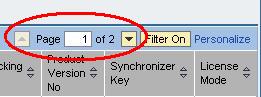
If there are multiple pages to the list, move forward or back by clicking the up or down arrows or the Page x of x function on the
top right of the page (see graphic below).
- To close the Detail Sheet, select [Go To] > List.
- Click the X at the top right of the Details Sheet initial search screen to return to the original My Products screen.
Tip: To expand the fields of
the Product Detail cells so the data is easier to read:
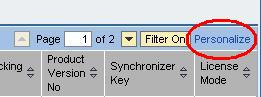
- Click the Personalize hyperlink on the top right of the list.
- A list of fields displays. Click the checkbox in front of the "Adjust Column Width to Text Length".
-
Click the [Apply] button at the bottom of the list box.