Descriptions are missing on SMI Report Designer buttons.
Entry Type: Informational
Product: Sage MAS Intelligence
Application: SMI Report Designer
Version Reported: 4.40
Subject:
Descriptions are missing on SMI Report Designer buttons.
Possible Resolution:
Descriptions on SMI Report Designer do not display when trying to launch the Sage MAS Intelligence Report Designer.
- Exit out of Excel and SMI Report Manager.
- From the Windows Desktop, Right click on blank area and select Properties. A new window will open Display Properties.
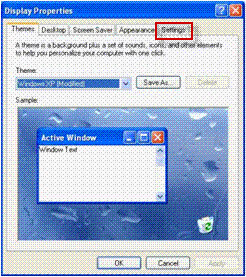
3. On the Settings tab and click Advanced button.
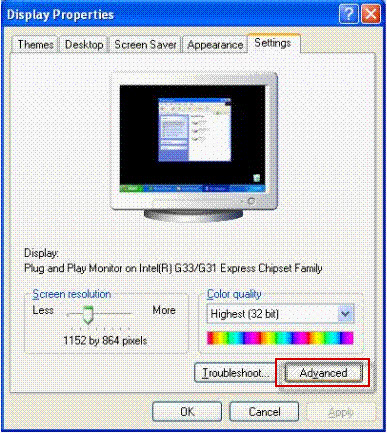
4. In the Advanced window, click Troubleshoot tab and drag the Hardware Acceleration scroller to None.
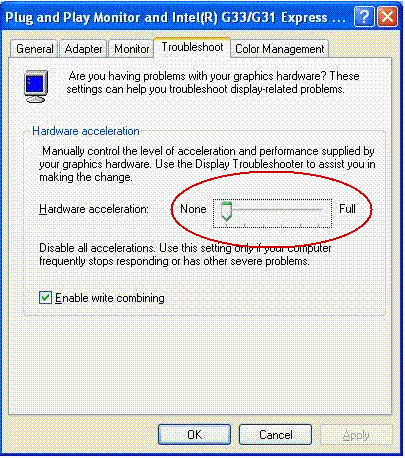
5. Run the Sage MAS Intelligence Report Designer.
